TemplatesPricing
Log inStart free
Tools / Video / Edit video

AI video editor

Change scenes, shots and objects in a clip with words.

Video to edit
References

Free to start, with 75 AI credits a month.

How it works

  1. A woman in a camel coat riding a vintage bicycle past pastel houses on a cobbled street in Copenhagen on a bright afternoon.

    1Add a clip

    Two to ten seconds works best.
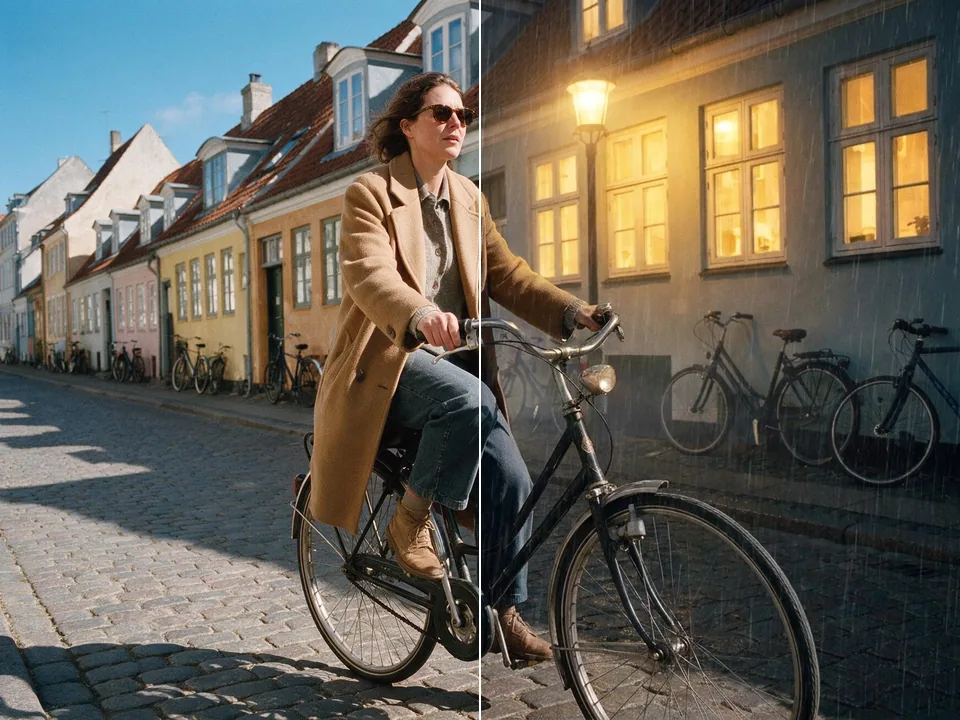
  2. A line sweeping across the street: on one side the bright afternoon, on the other the same shot at night in the rain.

    2Say what changes

    Make it night. Add rain. Swap the jacket for a red one.

  3. The same woman on her bicycle at night in heavy rain, street lamps and lit windows reflected on the wet cobbles.

    3Cut it on the timeline

    The edited clip lands on your canvas, next to the original.

Questions, answered

Which models can I use?

Kling and Wan. Pick one for each run; the menu shows its price in credits before you start.

How much does it cost?

Each run costs credits, and the price shows before you press Generate. Free comes with 75 credits a month. Pro comes with more, and you can top up at any time.

Who owns the result?

You do. Pro adds commercial rights and keeps your generations private.

More tools

  • Create video
  • Video upscale
  • Lipsync
  • Remix
  • Face swap
  • Caption
  • Language swap
  • AI influencer

Your next Reel starts here.

Templates, AI and Craftwork assets on one canvas, for every post you make.

Tools
RemixAI influencerCaptionFace swapLipsyncLanguage swap
Product
TemplatesPricingDesktop appChangelog
Resources
DocsMCP & APIBlogXCraftwork
Company
ContactPrivacyTermsData deletion
© 2026 Aproduct